Baroxon® | Leading Boom Barrier Manufacturer

How an Automatic Parking Barrier System Works
Release time:
2026-10-28
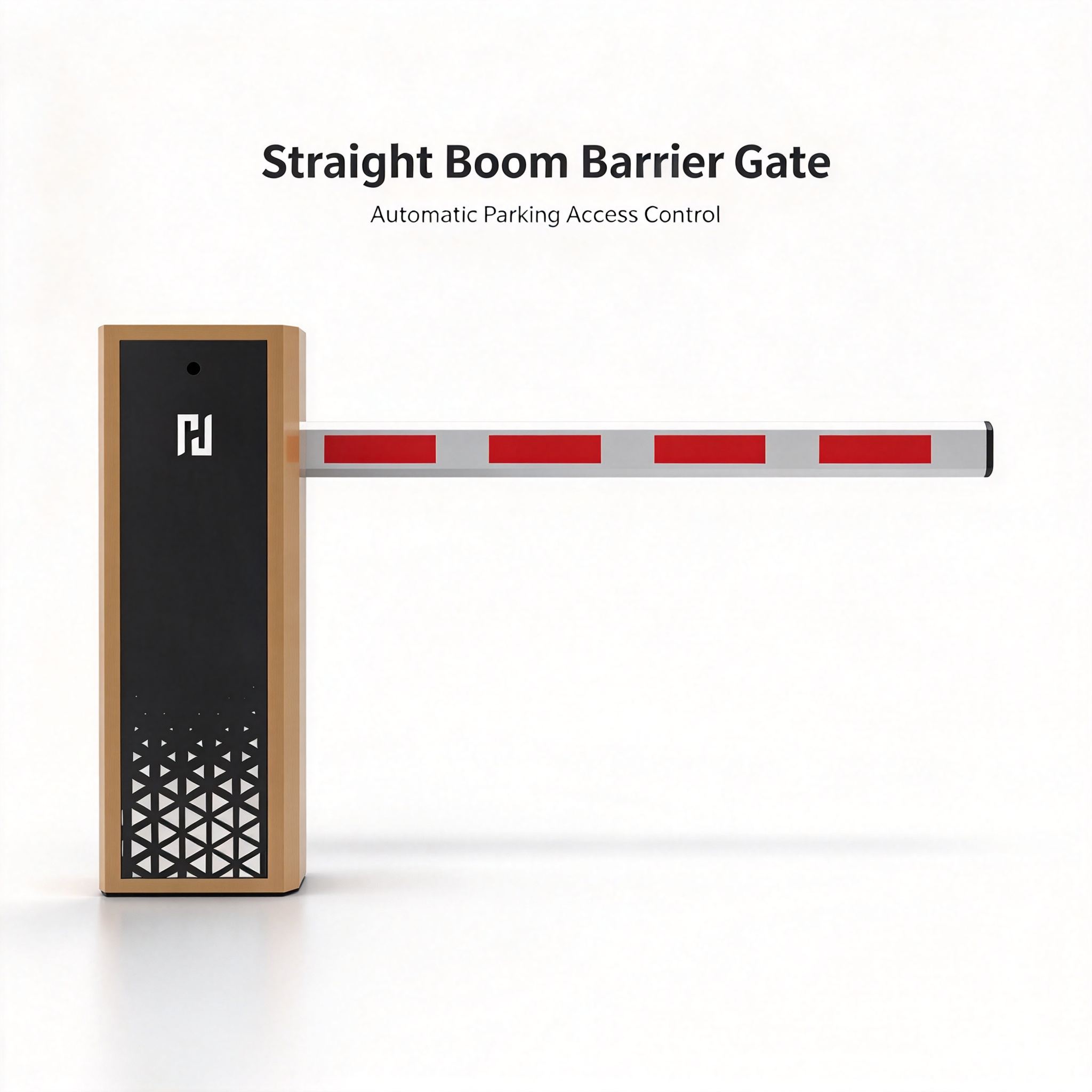
What makes up an automatic barrier system?
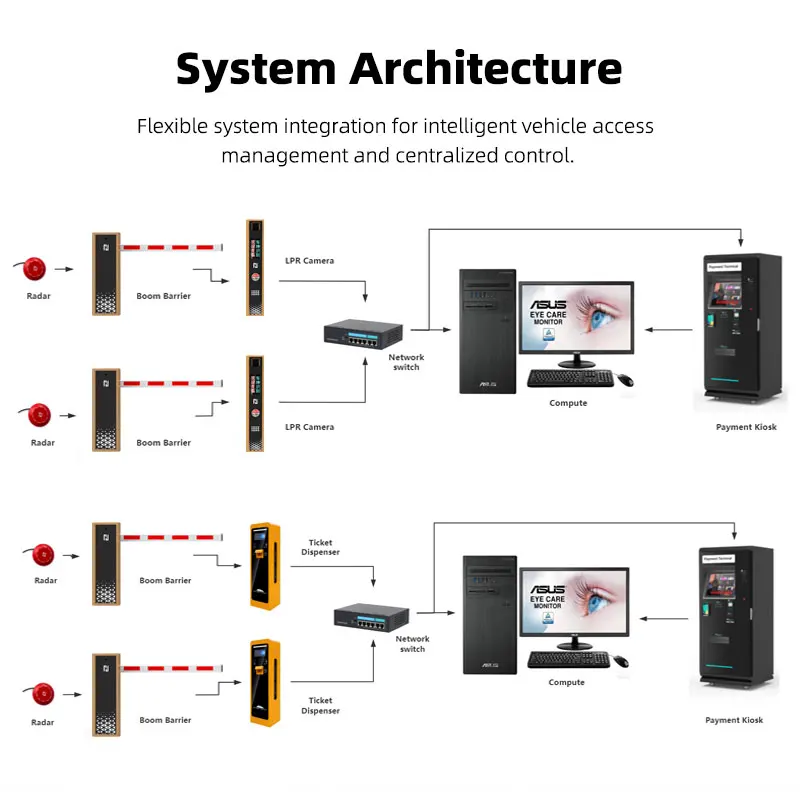
An automatic barrier is not a single unit but a small system. The drive moves the arm, the controller decides when to move it, identification devices decide who is allowed through, and safety devices make sure the arm never comes down on a vehicle or a person. Understanding these four layers is the fastest way to understand both how the barrier works and why two barriers that look identical can behave very differently on site.
1. Cabinet and electric drive
The cabinet houses the motor, the reduction gear and the control electronics. Depending on the model, the drive can be an AC motor with a mechanical gearbox or a brushless DC motor with a planetary reducer. The drive defines the opening time, the duty cycle and the maximum arm length the barrier can handle. For entrances with moderate traffic a standard drive is sufficient; for continuous flow the drive has to be rated for a high number of cycles per day.
2. Boom arm
The arm is the visible part of the system and the part that determines how much of the lane is actually blocked. Straight arms suit open entrances with enough clearance above the lane, folding arms are used where a ceiling, beam or canopy limits the lifting height, and fence-type arms are chosen where a wider area has to be visibly closed off. Arm length, weight and wind load all influence the drive settings, so the arm is always selected together with the model, never independently of it.
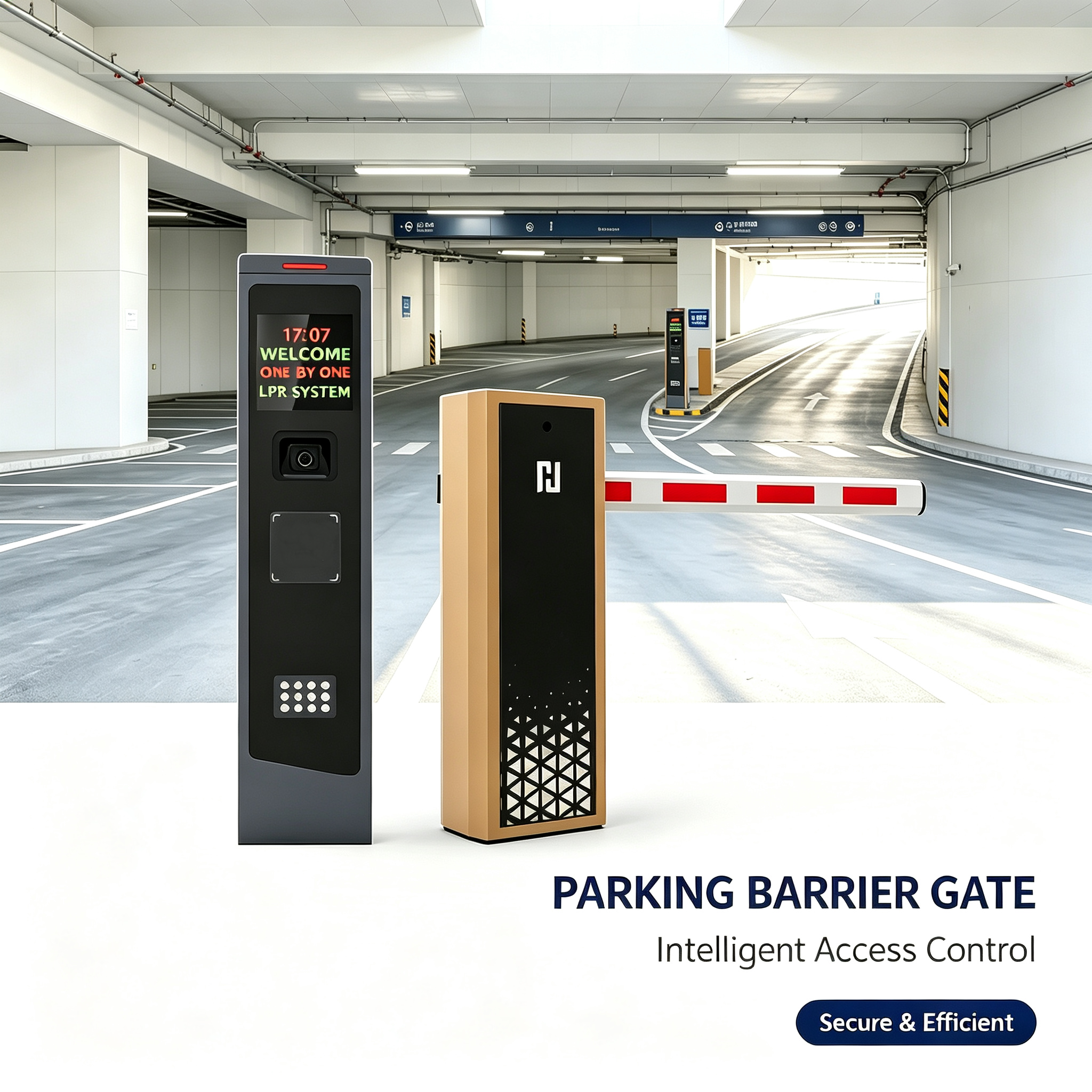
3. Controller
The controller is the logic board that receives a signal from a card reader, a keypad, a loop detector, a camera or an operator button, checks that the signal is valid, and commands the drive to open. It also decides when to close: after the vehicle has cleared the loop, after a time delay, or after a confirmation from the parking software. Most integration problems on real projects are controller and interface problems, not mechanical ones.
4. Identification and safety devices
Identification devices answer the question "may this vehicle pass?" — an RFID card or tag, a QR code, a license plate read by an LPR/ANPR camera, an intercom, or a manual decision by the operator. Safety devices answer a different question: "is the lane clear?" Inductive loops, photocells and radar sensors detect a vehicle under the arm and prevent it from closing. A barrier without safety devices is not an access control system, it is a hazard.
How the system works: step by step
Step 1. The vehicle approaches the entrance
The vehicle enters the detection zone. An inductive loop, a radar sensor or the camera triggers the identification stage. At this point the arm is still down and the system is waiting for a valid credential.
Step 2. The system checks the access permission
The controller compares the credential with the access rules: is the card valid, is the plate on the allow list, is the visitor expected, is the parking full. This step is where most of the delay in a real queue happens, and it is rarely a mechanical delay.
Step 3. The controller opens the barrier
Once the permission is confirmed, the controller sends the open command to the drive. The arm lifts. Opening time depends on the model and on the arm length: high-speed models open in a fraction of a second, standard models in a few seconds, and long arms always need more time than short ones.
Step 4. Sensors monitor the lane
While the vehicle drives through, the safety devices keep the arm from closing. A loop detector or radar confirms that the vehicle is still inside the passage zone. If the vehicle stops under the arm, the arm stays open.
Step 5. The system closes the arm
The arm closes only after the lane is confirmed clear. Depending on the configuration this happens automatically after the vehicle leaves the loop, after a preset delay, or after the parking software sends a close command.
Step 6. The event can be sent to the parking system
The controller or the parking software records the event: time, credential, plate number, lane, result. This log is what makes it possible to investigate disputes, calculate occupancy and reconcile revenue on a paid parking site.
Which control scenarios are used?
Remote control or push button
The simplest scenario, usually with an operator on site. Suitable for small facilities, construction sites and temporary entrances. It does not scale: a single operator can only process a limited number of vehicles per hour.
RFID control
A card or UHF tag is presented to the reader and the controller opens the barrier for authorised users. RFID is fast, works in poor weather and does not depend on plate legibility. It requires issuing and managing tags, which works well for residents, staff and regular contractors.
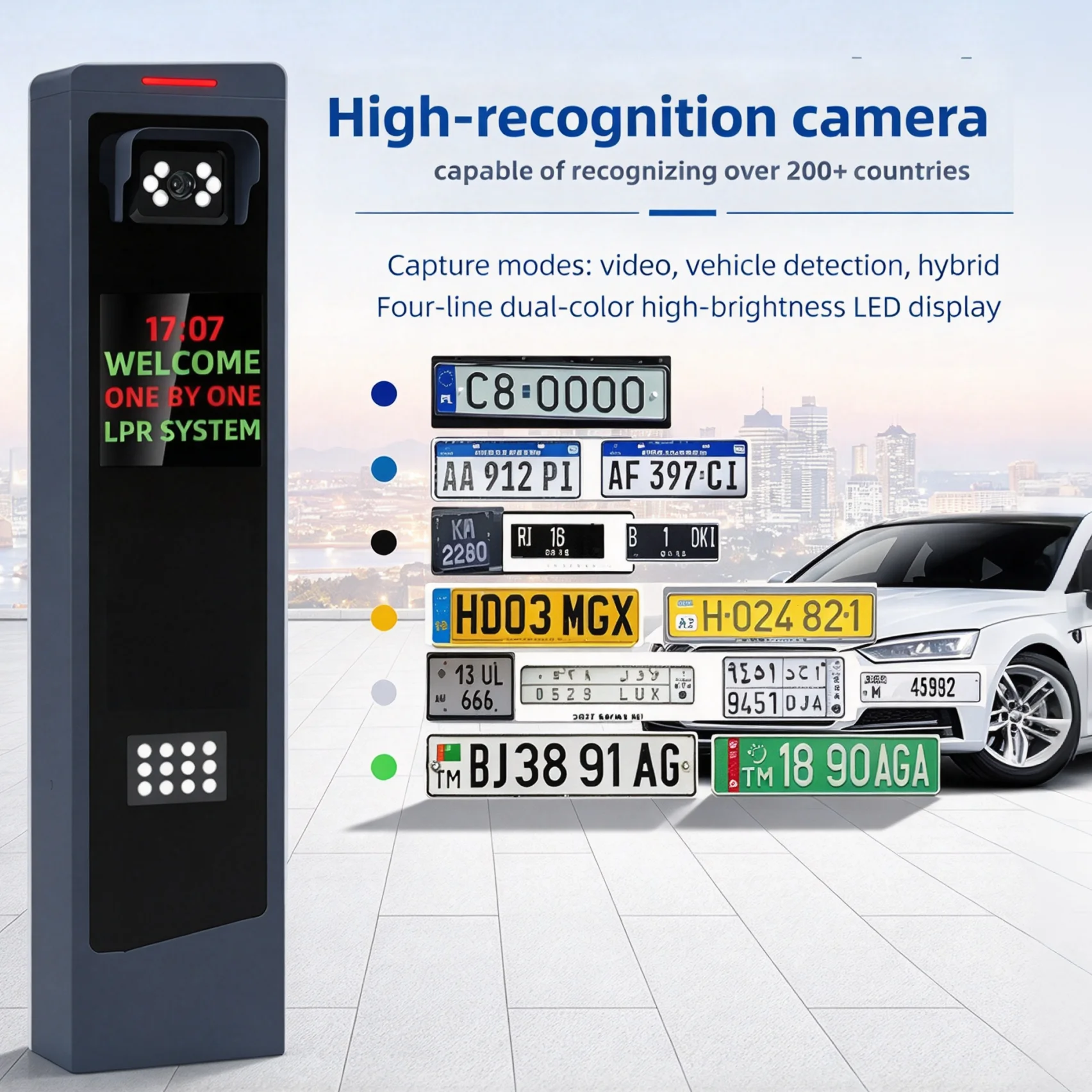
ALPR/LPR license plate recognition
A camera reads the plate, the software checks it against a list and sends an open command. No physical credential is needed, which makes this scenario convenient for visitors, tenants and mixed traffic. It depends on camera position, lighting and plate quality, so the installation has to be designed rather than improvised.
What affects reliability?
Four factors dominate in practice. First, the match between the drive's rated duty cycle and the real traffic — an entry-level model on a busy commercial car park will fail early. Second, the quality of installation: a barrier bolted to an inadequate foundation will vibrate, misalign and wear out. Third, the settings: an arm that is not balanced, or an opening speed set too high for the arm length, loads the mechanism on every cycle. Fourth, maintenance: hinges, fixings, loops and photocells need scheduled inspection, and a barrier that is never serviced will eventually stop in the down position at the worst possible moment.
How to select an automatic system for your site
Start with measurements, not with a catalogue. Measure the lane width and the clearance above it. Count the vehicles per day and per peak hour. Decide how access should be granted — card, tag, plate, QR code, intercom or operator. Decide what has to happen when the power fails or the network drops. Then compare models on confirmed data sheet values: duty cycle, cycles per day, opening time for the required arm length, operating temperature, ingress protection and sensor compatibility. Ask the supplier to confirm the configuration in writing for your specific lane, because general brochure figures are not a specification.
Frequently asked questions (FAQ)
Can an automatic barrier work without an operator?
Yes. With RFID, LPR/ANPR or QR access the barrier opens and closes without any human involvement. An operator is only needed for exceptions: unregistered visitors, damaged tags, vehicles without a readable plate.
Are sensors still needed if license plate recognition is used?
Yes. Recognition decides whether the vehicle may enter; sensors decide whether it is safe to close the arm. These are different functions and both are required. A camera cannot reliably tell whether a vehicle is still under the arm.
Can an existing access control system be connected?
In most cases yes, provided the interfaces match. The barrier controller has to accept a dry contact, Wiegand, RS-485 or a network command from the existing system, and the software has to be able to send it. Compatibility must be confirmed for the specific controller and firmware version before ordering.
What happens during a power failure?
A barrier with a backup battery continues to operate for a limited number of cycles. A barrier without a battery can be released manually with a key or a crank, which lifts the arm and allows vehicles to leave. The manual release procedure should be part of the site's emergency instructions.
Conclusion
An automatic parking barrier works as a chain: identification, decision, movement, confirmation. The weakest link determines the real throughput, and it is usually identification or lane geometry rather than the drive. Measure the site, define the access scenario and the safety requirements first, then choose a model whose confirmed duty cycle, arm length and interfaces match those requirements.
Latest News
Baroxon® | Leading Boom Barrier Manufacturer
Advanced Security Access Control and Intelligent Parking Solutions.
Company Strength
Adequate Inventory
Fast Shipping
Our Products
CONTACT US
Address: No. 2 Wanshou Road, International Innovation Industrial Park, Jinan, Shandong, China







© 2026 Baroxon® | Leading Boom Barrier Manufacturer

Contact Us
Our passion is to bring your ideas to life. Work with our design team to create a one-of-a-kind custom finish or cladding system to create a truly unique space. Together we can make your story stand out. If you need something to request a sample, request pricing, or request a demo, please fill out the contact form below. Explain your request in as much detail as you can and a representative will contact you within 1 business day.